
A WordPress plugin built around your photos
Your photos don’t tell Google — or AI models — what you sell
ConverterSEO compresses them to WebP — free and without limits — then writes titles, alt text, descriptions and file names. In every language your customers search in.
Create a free account and connect it to the plugin you installed
No card. Five descriptions to start with, unlimited image compression for good.
See how it works
Two minutes: from installing the plugin to the first description.
One photo, the whole job
an example
image-1.png
5.6 MB
2000 × 2000 px
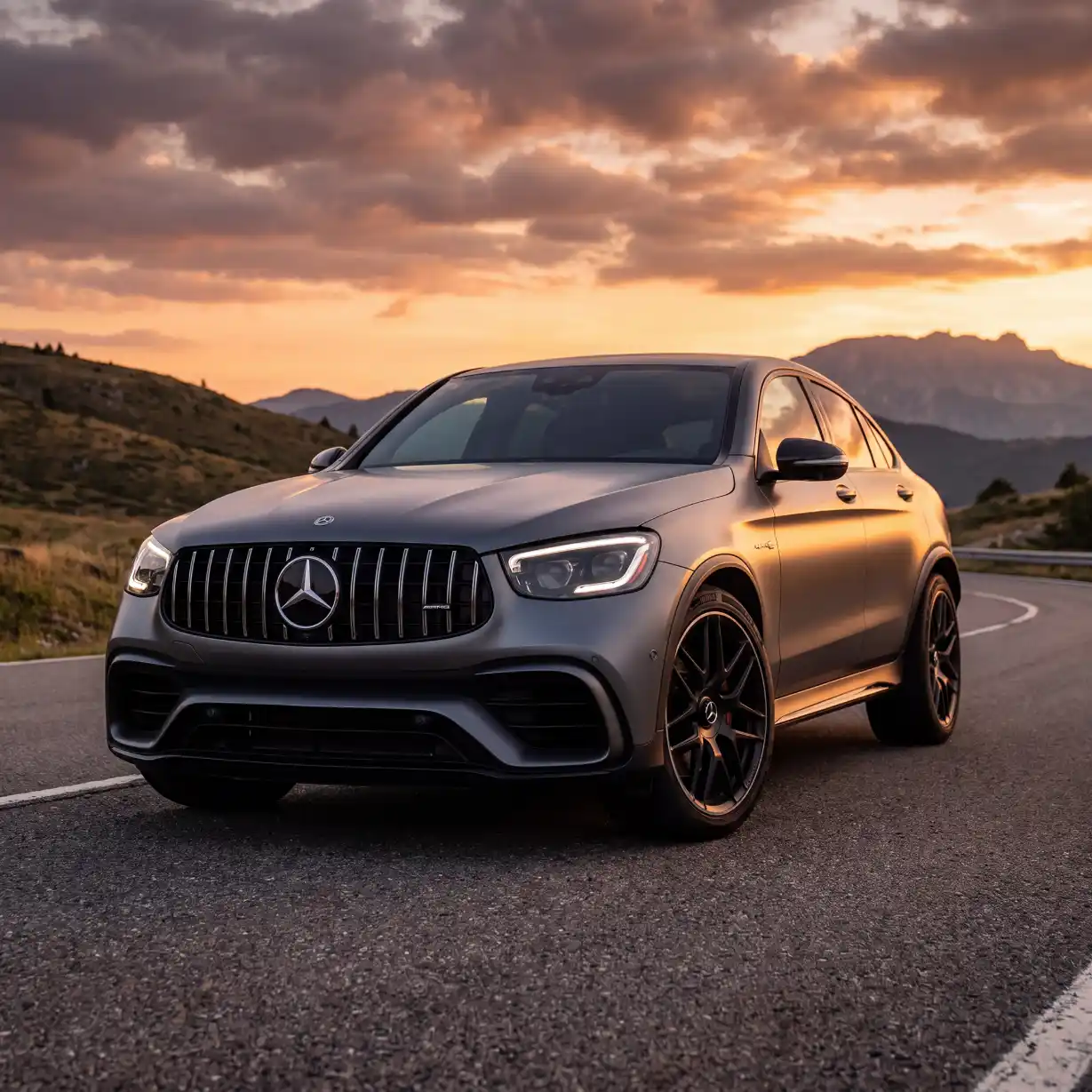
mercedes-amg-glc-63-coupe-wynajem-katowice.webp
79 KB
−98.6%
1229 × 1229 px
Compress your photos and generate titles, descriptions, ALT tags and file names in your own language — then create the versions for other languages with a single click.
Title
Mercedes-AMG GLC 63 Coupé do wynajęcia — Katowice
Alt text
szary Mercedes-AMG GLC 63 Coupé na górskiej drodze
Description
Mercedes-AMG GLC 63 Coupé w matowej szarości, do wynajęcia na dobę lub weekend. Odbiór w Katowicach, wyjazd za granicę bez dopłaty.
File name
mercedes-amg-glc-63-coupe-wynajem-katowice.webp
Title
Mercedes-AMG GLC 63 Coupé mieten — Kattowitz
Alt text
grauer Mercedes-AMG GLC 63 Coupé auf einer Bergstraße
Description
Mercedes-AMG GLC 63 Coupé in Mattgrau, tageweise oder fürs Wochenende zu mieten. Übernahme in Kattowitz, Auslandsfahrten ohne Aufpreis.
File name
mercedes-amg-glc-63-coupe-mieten-kattowitz.webp
Title
Mercedes-AMG GLC 63 Coupé car hire — Katowice
Alt text
grey Mercedes-AMG GLC 63 Coupé on a mountain road
Description
Mercedes-AMG GLC 63 Coupé in matte grey, available by the day or for a weekend. Pick-up in Katowice, cross-border trips at no extra charge.
File name
mercedes-amg-glc-63-coupe-car-hire-katowice.webp
Title
Mercedes-AMG GLC 63 Coupé a noleggio — Katowice
Alt text
Mercedes-AMG GLC 63 Coupé grigio su una strada di montagna
Description
Mercedes-AMG GLC 63 Coupé in grigio opaco, a noleggio giornaliero o per il weekend. Ritiro a Katowice, viaggi all’estero senza sovrapprezzo.
File name
noleggio-mercedes-amg-glc-63-coupe-katowice.webp
Title
Alquiler de Mercedes-AMG GLC 63 Coupé — Katowice
Alt text
Mercedes-AMG GLC 63 Coupé gris en una carretera de montaña
Description
Mercedes-AMG GLC 63 Coupé en gris mate, de alquiler por días o fin de semana. Recogida en Katowice, viajes al extranjero sin recargo.
File name
alquiler-mercedes-amg-glc-63-coupe-katowice.webp
Title
Aluguer de Mercedes-AMG GLC 63 Coupé — Katowice
Alt text
Mercedes-AMG GLC 63 Coupé cinzento numa estrada de montanha
Description
Mercedes-AMG GLC 63 Coupé em cinzento mate, para alugar ao dia ou ao fim de semana. Levantamento em Katowice, viagens ao estrangeiro sem custo adicional.
File name
aluguer-mercedes-amg-glc-63-coupe-katowice.webp
Title
Pronájem Mercedes-AMG GLC 63 Coupé — Katovice
Alt text
šedé Mercedes-AMG GLC 63 Coupé na horské silnici
Description
Mercedes-AMG GLC 63 Coupé v matné šedé, k pronájmu na den nebo na víkend. Vyzvednutí v Katovicích, cesty do zahraničí bez příplatku.
File name
pronajem-mercedes-amg-glc-63-coupe-katovice.webp
Title
Location Mercedes-AMG GLC 63 Coupé — Katowice
Alt text
Mercedes-AMG GLC 63 Coupé gris sur une route de montagne
Description
Mercedes-AMG GLC 63 Coupé en gris mat, à louer à la journée ou pour le week-end. Retrait à Katowice, trajets à l’étranger sans supplément.
File name
location-mercedes-amg-glc-63-coupe-katowice.webp
Title
Mercedes-AMG GLC 63 Coupé huren — Katowice
Alt text
grijze Mercedes-AMG GLC 63 Coupé op een bergweg
Description
Mercedes-AMG GLC 63 Coupé in matgrijs, per dag of voor het weekend te huur. Ophalen in Katowice, ritten naar het buitenland zonder toeslag.
File name
mercedes-amg-glc-63-coupe-huren-katowice.webp
An example for a car rental company. Compression is free and unlimited on every plan. The descriptions are written by the plugin once it is connected to a free account.
97%
smaller file after conversion to WebP
129 KB
from a file that weighed 4.4 MB — a real measurement
21
languages it writes descriptions in, and speaks
€0
compression and the audit — on every plan, without limits
WEBSITE AUDIT
A file called “image-1.png” tells a search engine absolutely nothing
Missing file names, empty alt tags, no descriptions, photos weighing 6 MB instead of 79 KB — sorting that out by hand is dozens of hours of work.
ConverterSEO does it for you. One click audits every product photo and fixes them on the spot. Another translates the descriptions into any language, to fit the markets and the customers abroad.
Useless file name
1,104
Images with no alt text
903
Images with no description
1,209
Still JPG or PNG
1,248
Analysis of your site, your industry,
your keywords and your product categories
Four things written at once, for every photo
ConverterSEO reads your site, the industry you work in, your keywords and your product or service categories — and writes a complete description of every photo from that. Your photos and graphics get indexed properly by search engines and bring in new customers from places like Google Images.
Each time, we build a keyword base for your business
Title
Villa with a pool to rent — Marbella
Alt text
modern white villa with a pool and sun loungers, holiday rental in Marbella
Description
A single-storey villa with a glass wall, a covered terrace and a long pool, among palm trees. Holiday rental in Marbella, on the Costa del Sol.
File name*
villa-with-a-pool-rental-marbella.webp
*Renaming the file is optional — it is your decision.
THINKING ABOUT SELLING ABROAD AND ALREADY TRANSLATED YOUR WEBSITE OR SHOP?
NOW THE PHOTOS — THEY HAVE TO SPEAK THE LANGUAGE TOO
This is not translation
Someone in Germany does not type a word-for-word translation of “table lamp”. In German lighting shops the category is called Tischleuchte, even though the literal rendering is Tischlampe — because in German Lampe means the bulb and Leuchte the fixture. ConverterSEO matches the keywords to how people in a given country actually ask about products and services.
Poland
Lampa stołowa z mosiądzu z matowym kloszem — styl klasyczny
lampa-stolowa-mosiadz-klosz-matowy.webp
Spain
Lámpara de mesa de latón con pantalla de cristal mate
lampara-de-mesa-laton-pantalla-mate.webp
Germany
Tischleuchte aus Messing mit satiniertem Glasschirm
tischleuchte-messing-satinierter-glasschirm.webp
ConverterSEO reads your site
It studies your industry, your products and your product categories, then builds a list of the keywords your customers actually search for.
Adapted to foreign markets
It adapts your photos, writing titles, file names, descriptions and alt tags around how customers in those markets actually shop.
Who is it for?
For shops and service businesses that want to reach customers through their product photos more effectively — at home and abroad — without spending dozens of hours on it.
Create a free account — compress images to WebP without limits and test the generated titles, descriptions and alt tags on 5 photos: in your own language and in one foreign language.
Try WebP image compression free, with no account
Shrink your photos and convert them to WebP — no sign-up, no plugin to install.
Works? Then get the plugin and do the same to the whole photo library in your WordPress. Far easier, and without uploading hundreds of files by hand.
image-1.png
5.6 MB
from 5.6 MB down to 79 KB
−98.6%
At dozens of photos, dragging them into the WordPress library by hand stops making sense — that is when the plugin does the same work for you, right on your own site.
Speed
A lighter site — and free, on every plan
Compress as much as you like
Analysis and compression of the photos in your library. Images are processed locally on your own server — no limits, no queues, no sending files to anyone. Thumbnails and links in published posts keep working.
You will see the effect where it hurts most: in PageSpeed Insights and in Core Web Vitals. Lighter photos mean faster loading, a better mobile score and fewer people who close the page before it even appears. Google’s crawlers will notice too — less data to download means faster indexing of your pages.
A lighter site
Photos up to 90% smaller. Same dimensions, more room on your server.
A faster site
Better Core Web Vitals — the thing Google actually rewards in rankings.
Nothing breaks
Every thumbnail size stays. Published posts keep working.
No limits
A thousand photos or a hundred thousand. Install and compress, no per-image fees.
GETTING STARTED
Three steps to get ConverterSEO running in your WordPress
Watch the video on YouTube
How to install the plugin and run a free audit.
Create an account
Pick the free plan or a paid one — that is what decides how many languages you can write image descriptions in.
Create an accountDownload and install the plugin
Get the free plugin and install it in your WordPress.
Download the pluginConnect the account to the plugin
Copy the key from your account, paste it into the plugin settings, and that is it. You can run the shop audit right away and build your keyword base.
You pay for descriptions, not for compression
Compression and the audit are free on every plan and without limits — they run on your own server and cost you nothing. One description is one photo in one language.
Free
€0
- 5 descriptions, one-off
- 1 website
- Base language — image descriptions in your own language
- + 1 foreign language
- Unlimited compression and audit
Start
€19 / mo
- 200 descriptions a month
- 1 website
- Base language — image descriptions in your own language
- + 2 foreign languages
- Unlimited compression and audit
Pro
€39 / mo
- 1,000 descriptions a month
- 3 websites
- Base language — image descriptions in your own language
- + 4 foreign languages
- Unlimited compression and audit
Agency
€99 / mo
- 5,000 descriptions a month
- 25 websites
- Base language — image descriptions in your own language
- Unlimited foreign languages
- Unlimited compression and audit
Prices exclude VAT, which is added at checkout according to your country. Paddle is the seller. Cancel whenever you like — the plan runs to the end of the paid period.
TWENTY-ONE LANGUAGES, TWENTY-NINE MARKETS
The plugin speaks your language. The descriptions speak your customers’.
Every screen of the plugin is translated into 21 languages, so you set it up in your own — not in English with a dictionary open beside you.
And it writes the titles, alt text, descriptions and file names for 29 markets. Twenty-nine and not twenty-one, because a shop in Vienna does not sell in the words of one in Hamburg.
- Polski
- English (UK)
- English (US)
- Deutsch (Deutschland)
- Deutsch (Österreich)
- Deutsch (Schweiz)
- Español (España)
- Español (México)
- Français (France)
- Italiano
- Português (Portugal)
- Português (Brasil)
- Nederlands
- Čeština
- Slovenčina
- Українська
- Română
- Magyar
- Svenska
- Dansk
- Norsk
- Suomi
- Türkçe
- Ελληνικά
- Български
- Hrvatski
- Lietuvių
- Latviešu
- Eesti


- English
- Polski
- Deutsch
- Español
- Italiano
- Français
- Português
- Čeština
- Slovenčina
- Nederlands
- Română
- Magyar
- Български
- Türkçe
- Українська
- Ελληνικά
- Hrvatski
- Dansk
- Suomi
- Svenska
- Norsk
English separately for the United Kingdom and the United States, German for Germany, Austria and Switzerland, Spanish for Spain and Mexico, Portuguese for Portugal and Brazil. Lithuanian, Latvian and Estonian are markets it writes for, without the interface speaking them yet.
The questions that hold your hand over the button
What do compression to WebP and written titles actually give me?
They are two separate things done to the same file. Compression makes photos smaller — the example on this page is 5.6 MB that came down to 79 KB. Lighter photos mean a faster page, and Google scores speed. The title, alt text, description and file name are the only things a search engine or an AI model knows about the image itself — without them the photo is a blank to them and stands no chance in Google Images. Compression without descriptions gives you a fast page with invisible photos. Descriptions without compression give you described photos on a slow page.
Is renaming the file necessary?
Not necessary — it is an extra option, and you decide. But it is the part most often skipped and the one that decides whether a photo stands a chance in Google Images. The plugin will not touch the name of a file already used in a published post, set as a featured image, or sitting in a WooCommerce product gallery — it checks before every rename so nothing on your live site stops showing.
What happens to the descriptions if I cancel?
They stay with you. The plugin writes titles, alt text and descriptions into the standard WordPress fields — where WordPress keeps them for every image. They are not in our database and they do not leave with the subscription. After cancelling you stop writing new ones and everything written so far keeps working. Compression and the audit stay free.
Do I need a paid plan to compress?
No. Compression and the library audit work the moment the plugin is installed, with no paid subscription and no limit — on every plan, the free one included. Compression runs on your own server and costs you nothing. A paid plan is needed only for writing descriptions, built on the keywords you have settled on.
How much time will I save on just 200 photos?
Do the maths yourself. Writing a title, alt text, a description and a sensible file name — thinking about keywords rather than typing anything — takes between two and five minutes per photo. At two hundred photos that is anywhere from seven to nearly seventeen hours in the Media Library. The plugin does it in one click per photo.
Will the plugin slow my site down or load the server?
No. While a page is being served the plugin does nothing at all — your visitors wait not one moment longer.
A photo is converted once: when you upload it, or when you start the library run yourself. Never while a customer is browsing. And it is completely free for you.
Descriptions are generated on our servers, not yours. The AI uses none of your computing power.
The effect is the opposite: lighter photos mean a faster page.
How does the plugin know what I do and what I sell?
Because ConverterSEO reads your site first — the copy, the products and the categories. In the wizard you give it your address or describe the business briefly, and the plugin analyses the rest and suggests the phrases your customers use to look for your products.
You do not start from a blank page, and you do not lose hours building a keyword list by hand.
Everything written later rests on that analysis. That is why instead of “product image” you get a description saying what is actually in the photo and what your company does.
Can I correct a description before it is saved?
The plugin saves straight away, but it saves into the standard WordPress fields — image title, alt text and description. You can correct them at any time in the Media Library, exactly as you would for a photo described by hand. There is no closed format and no separate database you cannot reach.
Does it work with WooCommerce?
Yes. The plugin works on the WordPress Media Library, and WooCommerce product photos are ordinary attachments in it — so they are covered like any others. It also knows about product galleries: before renaming a file it checks, among other things, whether the photo is in a product gallery or set as a featured image.
Will it work on a service site, with no shop?
Yes. The plugin analyses not only products and their categories but the range of services too — and above all the photos themselves. A car rental, a law firm, a hotel, a stonemason, a massage studio — if you have photos next to your service descriptions, it works exactly as it does for products.
Does it work outside WordPress?
The plugin currently works in WordPress, and integrations with other shop platforms are in preparation. The free converter on this site, meanwhile, works in any browser — with no account and nothing to install: you drop files in and get WebP back, and nothing reaches an outside server.
Can I change plan part-way through?
Yes, in the panel. Before anything is charged you see the exact amount — the difference is worked out in proportion to what is left of the paid period — and you have to confirm it. Cancelling does not cut you off overnight: the plan runs to the end of the paid period.
When will I see results in Google?
Two separate things. The compression effect shows the same day: the page is lighter and you can measure it with any speed tool. Descriptions and file names only start working once Google visits your pages again — for some sites that is days, for others weeks, depending on how often the crawler comes round. We will not promise you a position, because nobody honest can. What we can do is make sure your photos have something to say for themselves.
Do I have to spend the allowance on foreign languages, or can it all go on descriptions in my own language?
It can all go on descriptions in your own language. The allowance is one shared pool and you split it however you like. One description is one photo in one language — so a thousand descriptions is either a thousand photos in your own language, or two hundred and fifty photos across four languages, or anything in between. The plan limits how many foreign languages you may use, not how much of the pool has to go to them.
 Car rental
 Homeware
 Sport
Sport Sport
Sport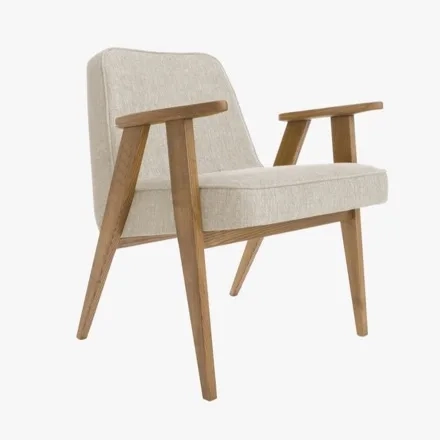 Furniture
 Interiors
Run a free audit of your site with ConverterSEO
And start with those first five photos
No card, no commitment. You will see what it writes about your own products — and compression and the audit stay yours for free, whatever you decide.